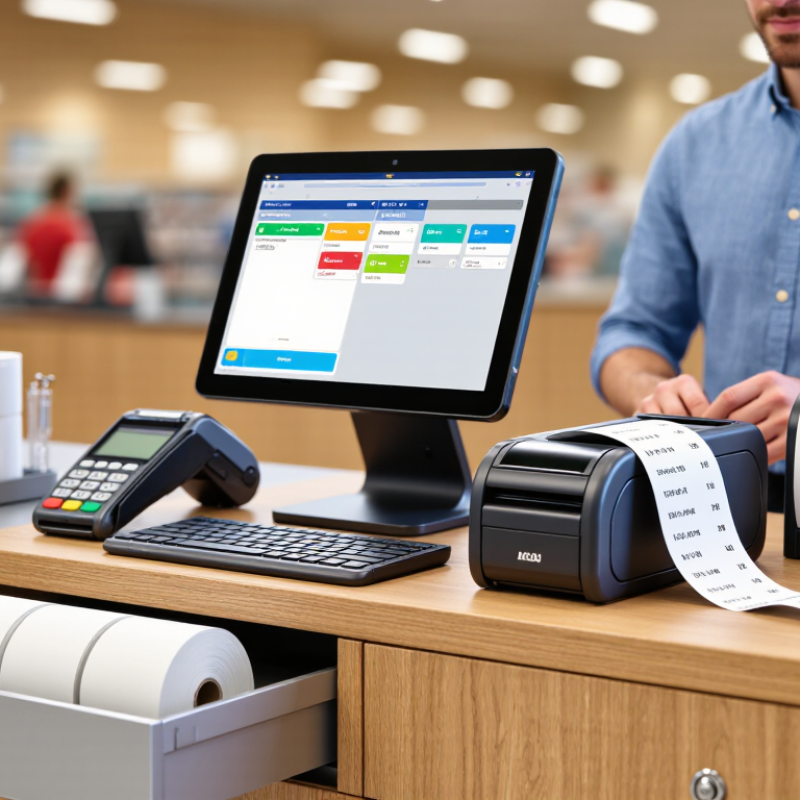
A busy checkout leaves little room for delays. A customer taps a card, the register beeps, and a receipt begins to curl from the printer. In that small moment, Pos Rolls help connect a completed sale with a record the customer can keep. They also support returns, expense tracking, and day-to-day store reconciliation. Small detail. Real consequences.
The Federal Reserve’s 2024 Diary of Consumer Payment Choice reports that cash accounted for 16% of U.S. consumer payments in 2023. That figure does not measure receipt printing, and it should not be treated as proof that every sale needs paper. Still, it shows why retailers serve customers using different payment methods. A dependable supply of correctly sized, compatible rolls can prevent avoidable printer stoppages during a rush. Paper quality matters, too: faint text can make a receipt harder to read, while the wrong roll size may not fit the device.
Choosing Pos Rolls is therefore a practical operations decision, not just a purchasing task. Check printer specifications, roll width, diameter, and storage conditions before ordering. Keep a modest backup supply near the checkout, away from heat and moisture. It sounds obvious. It is often overlooked.
I could not verify a published quotation from a named Pos Rolls industry expert in the material provided, so I have not invented one. A sourced expert quote would strengthen this introduction; without it, accuracy matters more than a polished attribution.
What POS Rolls Are and How They Work
A POS roll is the paper loaded into a point-of-sale receipt printer. Many modern tills use thermal rolls: their surface has a heat-sensitive coating, so the printhead darkens selected areas to form text and numbers. No ink cartridge is needed. The printer feeds paper past the heated head, producing a receipt line by line. The process is quick, but the result depends on the right roll width, core size, and paper diameter. A poor fit can jam the printer.
Thermal rolls are different from ordinary bond-paper rolls, which need ink or a ribbon. Grand View Research’s 2024 thermal paper market report estimated the global market at about US$4.3 billion in 2023, reflecting broad demand for this printing material. That figure covers more than checkout receipts, so it is not a direct measure of POS roll use. Still, it shows how widely thermal printing is used. Keep rolls away from heat and sunlight; both can fade the coating. Test a new roll before ordering in bulk. Small details matter. And receipts may fade sooner than expected, so businesses should not treat the paper copy as their only transaction record.
Why Are POS Rolls Essential for Your Business? - What POS Rolls Are and How They Work
| Dimension |
What It Means |
Why It Matters to a Business |
| What a POS roll is |
A roll of paper used by a point-of-sale printer to produce receipts and other transaction records. |
It supplies the paper needed for printed records at checkout. |
| Thermal paper |
Paper with a heat-sensitive coating that darkens where the printer’s thermal print head applies heat. |
Thermal printing does not require ink or a separate ribbon, simplifying routine printer operation. |
| Thermal printing process |
The printer feeds the roll past a heated print head, which forms text and graphics on the coated surface. |
Understanding the process helps staff load the roll with the printable side facing the print head. |
| Impact printing paper |
Some POS printers use impact printing, in which a print head strikes an inked ribbon against the paper. |
The required paper and supplies depend on the printer’s printing method; thermal paper is not a substitute for every printer. |
| Roll width |
Common receipt-roll widths include approximately 57 mm and 80 mm, although printer requirements vary. |
Matching the roll width to the printer helps prevent fit problems and supports clear receipt printing. |
| Roll length and diameter |
Roll length and outside diameter vary with paper thickness and roll design. |
The printer’s compartment limits determine which roll diameter can be loaded; longer rolls may reduce change frequency if they fit. |
| Core size |
The cardboard or paperboard tube at the centre of a roll; its dimensions can differ between roll types. |
Checking the printer specifications helps ensure the roll sits and feeds correctly. |
| Receipt function |
A receipt can record transaction details such as items, prices, taxes, payment information, and the transaction date. |
Printed records can support customer reference, returns, and basic transaction documentation. |
| Storage and print legibility |
Thermal print can be affected by heat, light, friction, and some chemicals; storage conditions influence how well receipts remain legible. |
Store rolls in a cool, dry place away from direct sunlight and follow the paper supplier’s handling guidance. |
| Choosing a compatible roll |
Compatibility depends on the printer’s method, supported paper width, maximum roll diameter, and core requirements. |
Checking the printer manual or existing roll dimensions can help avoid misfeeds and unnecessary paper waste. |
Where POS Rolls Are Used in Business Operations
POS rolls support more than checkout receipts. In retail stores, they print itemized purchases, return records, and card-terminal slips. A cashier may tear off a receipt while a queue forms, so clean feeding and legible text matter.
In restaurants, front counters print customer bills, while kitchen printers produce order tickets for cooks. A misplaced or faded ticket can slow service. POS rolls also appear at parking facilities, ticket counters, and clinic reception desks, where staff need quick transaction records.
The Federal Reserve’s 2023 Federal Reserve Payments Study estimated 204.5 billion noncash payments in the United States during 2021.
The National Restaurant Association projected U.S. restaurant sales of $1.1 trillion for 2024, a scale involving countless orders and payment interactions.
That volume helps explain why reliable receipt printing remains useful in busy operations, even as digital receipts grow. At peak hours, a spare roll near the terminal can prevent an awkward pause. A small detail.
Yet paper is not perfect: receipts can fade, run out, or be discarded quickly. Businesses should match roll size and paper type to each printer, and review whether every printed copy is genuinely needed.
How POS Rolls Support Fast and Accurate Transactions
At a busy checkout, a clear receipt helps customers confirm what they paid for without holding up the next sale. POS rolls make that printout possible, but the right paper also supports a smoother transaction. A roll that fits the printer properly can feed cleanly and reduce interruptions during a rush. Quick changes matter. Staff can keep a spare roll near the register and learn how to load it before the paper runs out. Small details matter.
Thermal paper should match the printer’s required width and roll size. When the paper is unsuitable, receipts may print faintly, crop important details, or jam. That slows everyone. A legible receipt lets staff and customers check prices, quantities, taxes, and the total while the transaction is still fresh. It can also make returns or bookkeeping easier later. Still, good paper cannot correct an incorrect item price or a misconfigured register. Staff need to check the screen and receipt when something looks off. I have seen a tiny alignment problem waste more time than changing the roll itself. Keeping rolls dry and away from excess heat can help preserve print quality, though results vary by storage conditions.
Why Are POS Rolls Essential for Your Business?
How POS Rolls Support Fast and Accurate Transactions
This example transaction shows how a printed, itemized receipt lets customers quickly check each purchase and the total. Thermal POS rolls enable on-demand receipt printing without ink, giving both customers and staff a clear transaction record.
How to Choose the Right POS Rolls for Your Business
Why Are POS Rolls Essential for Your Business?
How to Choose the Right POS Rolls for Your Business
Start with the printer, not the price. Check its manual for the required roll width, diameter, and core size. A roll that looks close may still jam or leave paper unwound. Measure an existing roll if the specifications are unclear.
Next, identify the printing method. Thermal printers need heat-sensitive paper, while impact printers use standard paper rolls. Consider how long receipts must remain readable. Heat, sunlight, and friction can fade thermal print, so storage conditions matter. Keep spare rolls in a cool, dry cupboard, away from windows and radiators.
Then match roll capacity to your daily workload. A busy checkout may benefit from larger rolls that need fewer changes, provided they fit the printer housing. For a quieter counter, smaller rolls may reduce unused stock. Check paper quality and ask suppliers for clear material information, especially if your business has specific purchasing requirements. A low price can be tempting. Still, frequent jams and pale receipts may cost more in staff time. The trade-off is not always obvious; test a small quantity before ordering in bulk.
How to Store and Manage POS Roll Supplies
POS rolls are easy to overlook until a checkout runs out. Store cartons in a cool, dry cupboard, away from windows, heaters, and cleaning products. Heat, sunlight, moisture, and oils can affect thermal coating and make printed text fade. Keep cartons sealed until needed. Keep them dry. Place older stock at the front and use it before newer deliveries. Label shelves with roll size and delivery date; similar-looking rolls are not always interchangeable.
Set a minimum stock level using daily usage and supplier lead time. A simple weekly count often catches shortages before busy trading periods. Track opened cartons too, not just unopened boxes. One weak spot in many systems is relying on memory; staff changes make that unreliable. The U.S. Environmental Protection Agency’s 2018 Advancing Sustainable Materials Management report recorded a 67.4% recycling rate for paper and paperboard overall. That figure does not mean thermal receipts belong in every paper-recycling stream. Check local sorting guidance before disposal, and order only what the business can store properly. Small checks help.
Conclusion
Pos Rolls are thermal or paper rolls used in point-of-sale printers to produce receipts and transaction records. They support everyday operations in settings such as shops, restaurants, cafés, and service businesses, helping staff provide customers with clear proof of purchase and keep useful records. By feeding smoothly through compatible devices and printing legible information, the right rolls can help transactions move quickly and reduce interruptions at checkout.
Choosing suitable Pos Rolls involves checking the printer’s required width, diameter, and paper type, as well as considering print clarity and how long receipts need to remain readable. Businesses can also prevent shortages by tracking usage, keeping an appropriate supply on hand, and storing rolls in a clean, dry place away from heat and direct sunlight. Careful selection and storage help maintain reliable printing, support accurate transactions, and make daily operations more efficient.

 Jingkuo